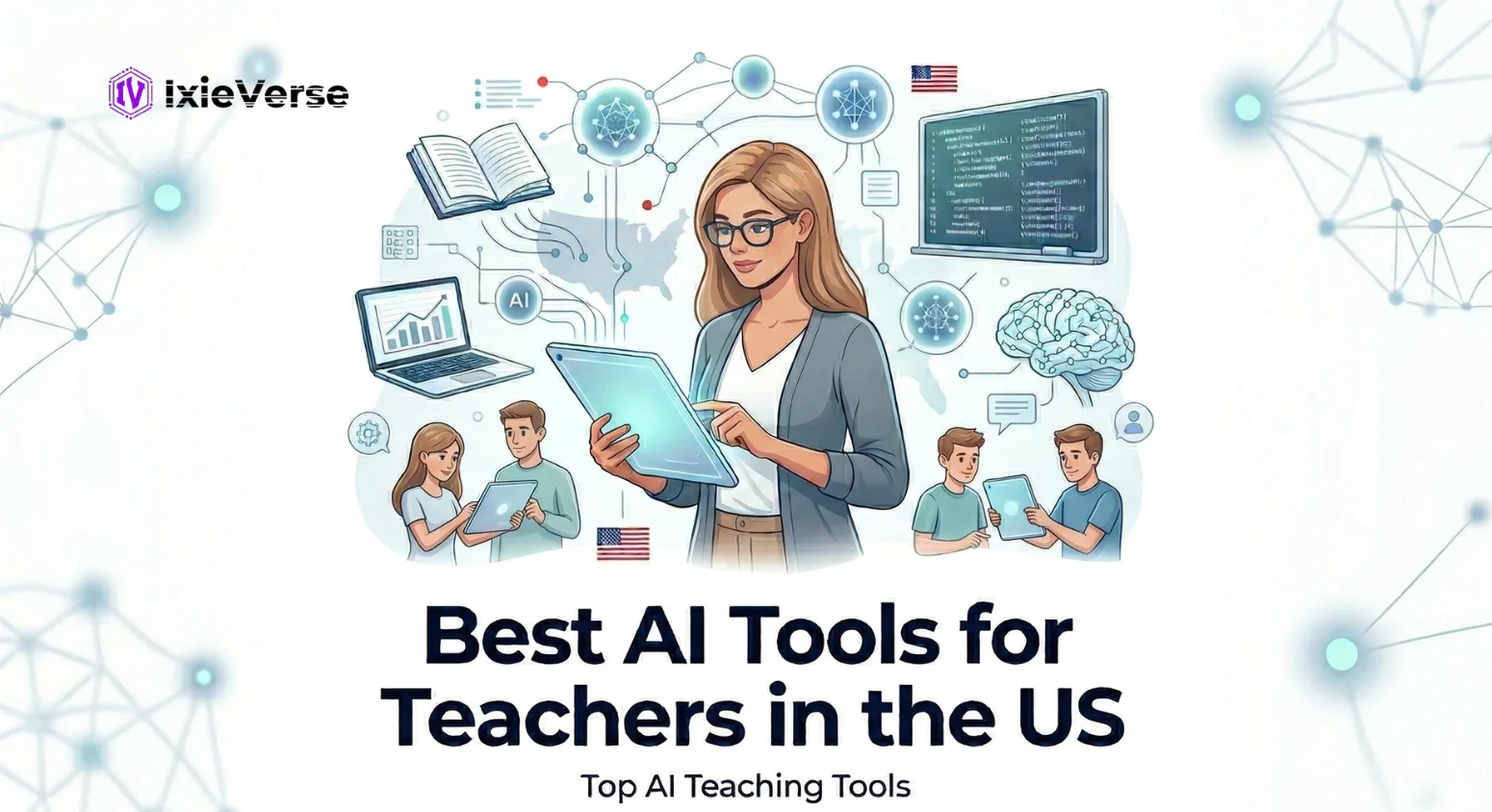
You became a teacher to change lives — not to spend your Sunday nights writing lesson plans, grading the same essay forty times, or hunting for differentiated worksheets that actually match your curriculum standards.
The good news: in 2026, you don’t have to.
Artificial intelligence has moved from classroom buzzword to essential teaching infrastructure. According to a 2025 Gallup survey in partnership with the Walton Family Foundation, 6 in 10 US K-12 public school teachers now use AI tools — and weekly users report reclaiming nearly six hours per week, equivalent to six full weeks of extra time over the course of a school year.
But with hundreds of platforms promising to “revolutionize” your teaching, how do you find the ones that actually work? This guide cuts through the noise. We tested and researched the top platforms across five high-impact categories so you can make a confident, informed choice for your classroom in 2026.
Quick Summary
In 2026, more than 6 in 10 US K-12 teachers use AI tools regularly. The best AI tools for teachers save up to 6 hours per week, automate grading, generate lesson plans, and personalize student learning — all while staying FERPA compliant.
• Best for lesson planning: MagicSchool AI, Brisk Teaching, Lessonsquill
• Best for grading & feedback: EduSage AI, Turnitin
• Best AI tutoring for students: Khanmigo (Khan Academy AI)
• Best general AI assistant: Google Gemini (free with Google Workspace for Education)
• Best for visual content: Canva AI
 ChatGPT
 Grok
Grok
 Claude
 Perplexity
 Google AI
- 1 The Best AI Tools for Teachers in the US: By Category (2026)
- Category 1: Best AI Tools for Lesson Planning
- Category 2: Best AI Tools for Grading & Feedback
- Category 3: Best AI Tutoring Tools for Students (Teacher-Assigned)
- Category 4: Best AI Tools for Classroom Creativity & Content Design
- Category 5: Best AI Tools for Academic Integrity & Classroom Management
- 2 Did You Know? 💡
- 3 AI Tools for Teachers: Master Comparison Table (2026)
- 4 AI Tools for Special Education Teachers
- 5 Can General AI Tools Like ChatGPT or Gemini Work for Teachers?
- 6 Conclusion
- 7 Frequently Asked Questions
- Q: What is the best AI tool for teachers in the US in 2026?
- Q: Are AI tools for teachers free?
- Q: How much time do AI tools save teachers per week?
- Q: Are AI tools for teachers FERPA compliant?
- Q: Can AI replace teachers?
- Q: What is the best AI tool for lesson planning specifically?
- Q: What is the difference between general AI tools and education AI tools?
The Best AI Tools for Teachers in the US: By Category (2026)
We’ve organized the top AI tools into five high-impact categories that match real teacher workflows. Each tool is evaluated for usefulness, FERPA compliance, free availability, and depth of features.
Category 1: Best AI Tools for Lesson Planning
MagicSchool AI is the best overall AI tool for teacher lesson planning in 2026. It offers 60+ education-specific tools, is FERPA compliant, integrates with Google Classroom, and provides a strong free tier. For curriculum-strict alignment, Lessonsquill and Brisk Teaching are strong alternatives.
| Tool | Best For | FERPA? | Free Tier? | Price (Paid) |
|---|---|---|---|---|
| MagicSchool AI | 60+ lesson & planning tools, all grades | Yes | Yes (60+ tools) | $3–$9/mo |
| Brisk Teaching | Works inside Google Docs/Classroom | Yes | Yes | Pro available |
| Lessonsquill | Standards-aligned lesson plans (Common Core) | Yes | Yes | From $9/mo |
| Google Gemini + NotebookLM | Google Workspace integration | Yes (Edu) | Yes | Google AI Pro add-on |
| EduGems (Google Gems) | Custom AI assistants for specific tasks | Yes (via Google) | Yes | Included with Workspace |
MagicSchool AI — Top Pick for Lesson Planning
MagicSchool AI is the most widely adopted purpose-built AI platform for K-12 teachers in the US. It was trained on educational best practices and declines non-educational requests, making it inherently safer than general-purpose tools.
- 60+ searchable AI tools organized by planning, assessment, and student support
- Tools include: Lesson Plan Generator, Differentiation Assistant, IEP Generator, YouTube Question Generator, Rubric Maker
- FERPA compliant. Integrates directly with Google Classroom
- Free plan includes full access to all 60+ tools and the AI chatbot Raina
- Used by hundreds of thousands of teachers across the US
Brisk Teaching — Best for Google & Microsoft Integration
Brisk Teaching operates as a browser extension that works directly inside Google Docs, YouTube, online textbooks, and other tools teachers already use. Teachers don’t need to switch tabs or copy-paste outputs.
- 93% Common Sense Privacy Rating — highest among AI education tools
- Generates lesson plans, quizzes, and activities from any online article or video
- Provides personalized feedback on student writing without leaving Google Docs
- Works inside both Google and Microsoft ecosystems
- Free to start. Used by school districts across the US including award-winning implementations
Category 2: Best AI Tools for Grading & Feedback
EduSage AI is the most comprehensive AI grading platform in 2026. It grades essays, coding assignments, and exams — applying your rubric consistently to every submission in seconds. Teachers report saving 10 to 15 hours per week on grading alone. Turnitin remains the gold standard for academic integrity detection.
| Tool | Best For | What It Grades | FERPA? | Price |
|---|---|---|---|---|
| EduSage AI | All-in-one grading platform | Essays, coding, exams + AI detection | Yes | Custom |
| Turnitin | Academic integrity in higher ed | Text similarity + AI writing detection | Yes | Institutional |
| MagicSchool AI | Quick rubric-based feedback | Written assignments, short responses | Yes | Free–$9/mo |
| Brisk Teaching | In-context writing feedback | Google Docs essays in real-time | Yes | Free+ |
| Wayground (Formerly Quizizz) | Formative assessment scoring | Multiple choice, short answer quizzes | Yes | Free–$6/mo |
Category 3: Best AI Tutoring Tools for Students (Teacher-Assigned)
Edcafe is a leading student-facing AI platform for teachers who want to create, assign, and track learning activities in one place. Teachers can build student-ready materials with grading and feedback built in, track submissions, and use AI-powered analytics to dive deeper into learning progress. One study found classes using Edcafe AI saw engagement increase by about 29%, a clear lift compared with classes that didn’t use the tool.
- Edcafe: Create and assign student-facing activities with built-in grading, feedback, submission tracking, and AI-powered learning analytics.
- Khanmigo (Khan Academy): Free for teachers. Guided, Socratic tutoring across all K-12 subjects. Teacher dashboard included.
- SchoolAI: Student-facing AI with safety guardrails, teacher visibility, and district controls. Purpose-built for K-12.
- Quizizz: AI-powered formative assessments with adaptive learning paths and instant engagement analytics
- Edpuzzle: Transforms video content into interactive lessons with embedded quizzes and AI comprehension checks
- ClassDojo: Connects teachers, students, and families with AI behavior tracking and parent communication tools (K-8)
Explore: AI Agents Explained: What They Are & How Americans Use Them (2026)
Category 4: Best AI Tools for Classroom Creativity & Content Design
| Tool | Best For | Key AI Feature | Free? |
|---|---|---|---|
| Canva AI | Visual worksheets, posters, slides | Text-to-design, Magic Write, AI image generation | Yes (Edu free) |
| Google Slides + Gemini | Presentation creation | AI slide generation from text prompts | Yes (Workspace) |
| Microsoft Copilot in PowerPoint | Slide deck creation | Full deck generation from outline or document | Yes (M365 Edu) |
| Kahoot! AI | Game-based quiz creation | AI quiz generation, adaptive learning paths | Yes (basic) |
| Adobe Express (Edu) | Student creative projects | AI-powered design and video tools | Yes (Edu free) |
Category 5: Best AI Tools for Academic Integrity & Classroom Management
As AI-generated student work becomes more sophisticated, teachers need detection tools that keep pace. Concerns about AI-related cheating rose from 53% to 61% of educators between 2024 and 2025 (RAND, 2025).
- Turnitin 2026: AI writing detection alongside traditional plagiarism checks. Industry standard in higher education.
- EduSage AI: Built-in AI content detection integrated with its grading workflow — no separate subscription needed.
- ClassDojo: Behavior tracking and engagement analytics for K-8 classroom management.
- Google Gemini Gems: Custom AI assistants teachers can configure with specific guardrails for student tasks.
Did You Know? 💡
2025 — 60% of U.S. K–12 teachers used AI tools during the school year.
Time Saved — Weekly AI users save an average of 5.9 hours per week — nearly 6 extra weeks per school year.
Adoption Boom — 85% of teachers and 86% of students reported using AI tools in 2024–25.
Market Growth — The U.S. AI in education market hit $2.01 billion in 2025 and is projected to reach $32.64 billion by 2034.
2026 — A $23 million National Academy for AI Instruction was launched to train 400,000 teachers.
Personalization — 59% of teachers say AI helps deliver more personalized learning experiences.
Subject Trends — ELA and science teachers are nearly twice as likely to use AI compared to math or elementary teachers.
AI Tools for Teachers: Master Comparison Table (2026)
Use this at-a-glance reference to compare all major platforms across the dimensions that matter most to US teachers.
| Tool | Category | FERPA | Free Tier | LMS Integration | Grade Level | Best Use Case |
|---|---|---|---|---|---|---|
| MagicSchool AI | Lesson Planning | ✓ | ✓ (60+ tools) | Google Classroom | K–12 | All-in-one planning hub |
| Brisk Teaching | Planning + Feedback | ✓ | ✓ | Google + MS | K–12 | In-context teacher assistant |
| Khanmigo | AI Tutoring | ✓ | ✓ (teachers) | Standalone | K–12 | Student Socratic tutoring |
| EduSage AI | Grading | ✓ | Limited | Canvas + more | 6–12+ | Essay & coding grading |
| Google Gemini | General AI | ✓ (Edu) | ✓ | Google Workspace | K–16 | Integrated Google school tool |
| Turnitin | Integrity | ✓ | ✘ | Major LMS | 6–16 | AI + plagiarism detection |
| Canva AI | Content Design | ✓ (Edu) | ✓ (Edu) | Google + MS | K–12 | Visual teaching materials |
| NotebookLM | Research + Docs | ✓ | ✓ | Google Drive | 6–16 | Summarize curriculum docs |
| Quizizz AI | Assessment | ✓ | ✓ | Google + Canvas | K–12 | Formative assessment & quiz |
| SchoolAI | Student-facing AI | ✓ | Limited | Standalone | K–12 | Safe student AI companion |
| Kahoot! AI | Engagement | ✓ | ✓ (basic) | Google + MS | K–12 | Game-based learning reviews |
| Lessonsquill | Lesson Planning | ✓ | ✓ | Standalone | K–12 | Common Core-aligned plans |
Discover: Impact of AI on Jobs: Skills for the AI Era
AI Tools for Special Education Teachers
Special education teachers have unique, high-stakes needs: IEP documentation, differentiated instruction, accommodations planning, and communication with parents and support staff. AI tools designed for this context can dramatically reduce administrative burden.
- MagicSchool AI: Includes an IEP Goal Generator and Accommodation Suggestion tool specifically built for SpEd teachers
- Brisk Teaching: Generates leveled reading passages and scaffolded activities from any source material
- EduGems (Google Gems): Custom-built gems for IEP-friendly objectives and differentiated instruction
- Google Gemini + NotebookLM: Summarize evaluation reports, synthesize information from multiple documents
- SchoolAI: Student-facing AI with accessibility features and teacher monitoring for students with accommodations
Key principle: AI tools help SpEd teachers produce first drafts faster — but every IEP, accommodation plan, and student-facing material must be reviewed and approved by a qualified professional.
Can General AI Tools Like ChatGPT or Gemini Work for Teachers?
General-purpose AI assistants like ChatGPT, Google Gemini, Microsoft Copilot, and Claude are powerful — and many teachers use them effectively. But they come with an important caveat.
| Critical Rule for Teachers Using General AI Tools Never input identifiable student information (names, grades, IEP details, behavioral records) into a general-purpose AI tool on a consumer account. This likely violates FERPA. Use purpose-built, FERPA-compliant education platforms when working with real student data. |
That said, general AI tools excel for teacher-facing tasks with no student data involved:
- Writing professional emails to parents or administrators
- Brainstorming project ideas, discussion questions, or extension activities
- Summarizing research papers or curriculum materials
- Drafting rubric criteria and then refining them to your standards
- Generating multiple versions of an assessment question for differentiation
| General AI Tool | Strengths for Teachers | Key Limitation | FERPA (Free Tier) |
|---|---|---|---|
| ChatGPT (GPT-4o) | Versatile writing, brainstorming, Q&A | No curriculum alignment; no student data | No |
| Google Gemini | Google Workspace integration; NotebookLM | Full features require paid AI Pro add-on | Yes (Edu accounts) |
| Microsoft Copilot | Word, PowerPoint, Outlook integration | Best value within M365 Edu subscriptions | Yes (Edu accounts) |
| Claude (Anthropic) | Long-form writing, nuanced feedback drafts | General tool; no built-in edu features | No (consumer) |
| Perplexity | Research with source citations | Not designed for curriculum creation | No (consumer) |
Also Read: Can AI Help You Study for the US Citizenship Test?
Conclusion
In 2026, AI in US education is no longer experimental. It is infrastructure. The majority of your colleagues are already using it, and the data is clear: teachers who adopt AI thoughtfully save hours every week, deliver more personalized instruction, and spend more time on the work that actually requires a human — the relationships, the mentorship, the moments that change a student’s life.
The best path forward is simple: start with one tool, solve one real problem, and build from there. If grading is your biggest pain point, start with EduSage AI or MagicSchool’s rubric tools. If lesson planning is where you lose your Sunday evenings, start with MagicSchool AI or Lessonsquill. If your school runs on Google Workspace, Gemini and NotebookLM are already waiting for you.
AI won’t replace what makes you a great teacher. It will give you the time to do more of it.
Frequently Asked Questions
Q: What is the best AI tool for teachers in the US in 2026?
The best overall AI tool for US teachers in 2026 is MagicSchool AI for its breadth of 60+ purpose-built education tools, FERPA compliance, Google Classroom integration, and a powerful free tier. For grading specifically, EduSage AI leads. For student-facing tutoring, Khanmigo is the top recommendation. For teachers in Google Workspace schools, Google Gemini with NotebookLM is a strong built-in option.
Q: Are AI tools for teachers free?
Yes. Many of the best AI tools for teachers have strong free tiers in 2026. MagicSchool AI, Brisk Teaching, Khanmigo (for teachers), Google Gemini (with Workspace for Education), Canva for Education, Quizizz, and NotebookLM are all free to start. Paid plans unlock additional features like district reporting, advanced analytics, and student data integrations.
Q: How much time do AI tools save teachers per week?
According to a 2025 Gallup survey, teachers who use AI at least weekly save an average of 5.9 hours per week — equivalent to roughly six extra weeks over a standard school year. AI grading platforms report even higher time savings, with some teachers reclaiming 10 to 15 hours per week by offloading first-pass assessment to AI.
Q: Are AI tools for teachers FERPA compliant?
Purpose-built education AI tools like MagicSchool AI, Khanmigo, Brisk Teaching, SchoolAI, and FlintK12 are designed with FERPA compliance built into their architecture. General-purpose tools (ChatGPT, Claude, Perplexity on consumer accounts) are not FERPA compliant by default. The key rule: never enter identifiable student information into a general-purpose AI tool on a consumer account.
Q: Can AI replace teachers?
No. AI tools for teachers are designed to augment — not replace — educators. Human tutors interpret student emotional states with 92% accuracy, while even the most advanced AI tutoring systems currently reach only 68% accuracy. AI handles repetitive, time-intensive tasks (grading, planning, differentiation) so teachers can focus on mentoring, inspiring, and connecting with students — capabilities no AI can replicate.
Q: What is the best AI tool for lesson planning specifically?
MagicSchool AI is the most popular AI lesson planning tool for US teachers. It generates curriculum-aligned lesson plans in under five minutes, includes differentiation options, and aligns to Common Core and state standards. Lessonsquill and Brisk Teaching are strong alternatives for teachers who want even deeper curriculum alignment or seamless Google Docs integration.
Q: What is the difference between general AI tools and education AI tools?
General AI tools (ChatGPT, Gemini, Claude) are trained on broad internet data and respond to any prompt. Education AI tools (MagicSchool AI, Khanmigo, Brisk Teaching) are specifically trained on educational frameworks, aligned to curriculum standards, FERPA compliant, and designed to decline non-educational requests. For tasks involving student data or curriculum precision, education-specific tools consistently outperform general AI.



![50 Best Website Design Examples for Inspiration [2026]](https://ixieverse.com/wp-content/uploads/2026/08/Best-Website-Design-Examples-150x150.webp)
Add a Comment